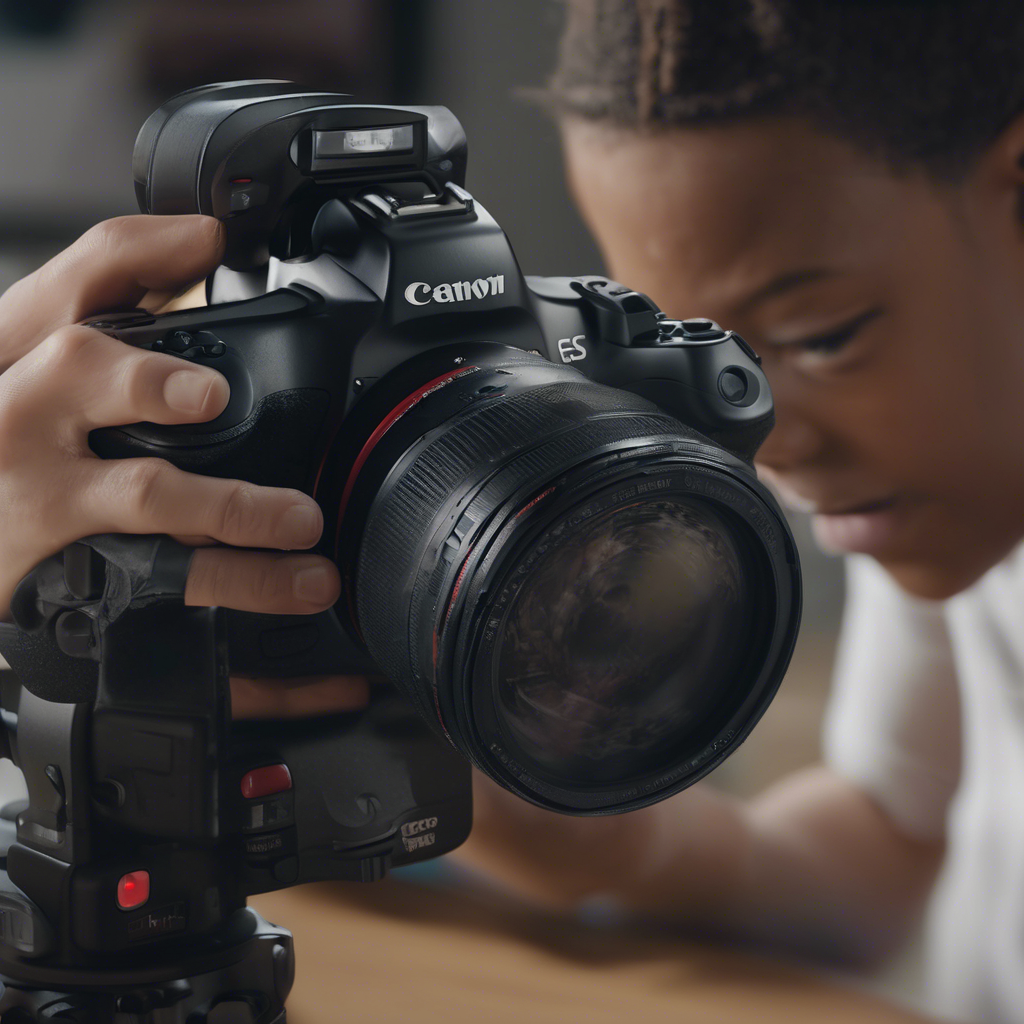
The Complete Guide to High-Impact Educational Video Content
In an era saturated with digital information, video has emerged not merely as a popular medium, but as a powerful catalyst for learning and development. From K-12 classrooms and university lecture halls to corporate training programs and online courses, educational video promises enhanced engagement and improved knowledge retention. Yet, simply pressing record is insufficient. Creating truly high-impact educational video content demands a strategic, learner-centric approach grounded in instructional design principles and effective production techniques. This guide navigates the essential elements required to transform video from a passive viewing experience into an active learning tool. 🧠
Understanding the ‘Why’: The Power and Pitfalls of Educational Video
The allure of video in education is backed by compelling data. Studies suggest visual information is processed significantly faster than text, and combining visual and auditory channels can bolster memory encoding. Platforms like YouTube are now primary search engines for “how-to” knowledge, reflecting a societal shift towards visual learning. Research indicates well-designed educational videos can lead to increased student motivation, deeper understanding of complex topics, and greater flexibility in learning pace. 📊
However, potential pitfalls abound. Poorly produced videos – characterized by low audio quality, distracting visuals, excessive length, or lack of clear structure – can actively hinder learning. Cognitive Load Theory warns that overwhelming learners with extraneous information can impede understanding. The passive nature of simply watching can also fail to foster the critical thinking and application skills vital for true mastery. Effective educational video must be deliberately designed to overcome these challenges.
Phase 1: Strategic Foundation – Planning for Impact 🎯
Before a camera ever rolls, significant groundwork must be laid. High-impact video doesn’t happen by accident; it’s the result of meticulous planning focused squarely on the learner and the learning goals.
Defining Clear Learning Objectives
What should learners know or be able to do after watching the video? Learning objectives must be specific, measurable, achievable, relevant, and time-bound (SMART). These objectives serve as the guiding star for all subsequent decisions, from content inclusion to assessment methods. Vague goals lead to unfocused videos.
Knowing Your Audience: Learner Analysis
Who are your learners? Consider their prior knowledge, technical skills, learning environment (e.g., mobile vs. desktop), cultural background, accessibility needs, and motivations. Tailoring content complexity, language, examples, and even video length to the target audience is crucial for resonance and effectiveness.
Choosing the Right Video Format
Not all educational content suits the same video style. Consider the options:
- Lecture/Talking Head: Effective for expert explanations, storytelling, and conveying personality, but risks becoming monotonous if not dynamic.
- Demonstrations/Screencasts: Ideal for showing processes, software tutorials, or hands-on tasks. Clarity and pacing are key.
- Animations/Motion Graphics: Excellent for visualizing abstract concepts, data, or complex systems. Requires specialized skills or software.
- Microlearning Videos: Short, focused videos (typically under 5 minutes) targeting a single learning objective. Suited for performance support and spaced repetition.
- Interactive Videos: Incorporate clickable hotspots, quizzes, branching scenarios, or embedded questions to promote active engagement. Platforms like H5P or dedicated video tools enable this.
- Interviews/Panel Discussions: Bring diverse perspectives and expertise to a topic.
- Documentary Style: Uses storytelling and real-world examples to explore a subject in depth.
The best choice depends on the learning objectives, the content itself, audience preferences, and available resources.
Scripting and Storyboarding: The Blueprint for Success 📝
A detailed script ensures clarity, accuracy, and conciseness. It dictates the narration, dialogue, and key visual cues. For visually complex videos, a storyboard – a sequence of drawings or images representing planned shots, with notes on audio and action – is indispensable. This process helps visualize the final product, identify potential problems early, and ensures alignment between visual and auditory elements.
Phase 2: Production – Bringing Your Vision to Life 🎬
With a solid plan, the focus shifts to capturing the content. Technical quality and delivery significantly influence viewer perception and engagement.
Technical Considerations: Audio, Lighting, Camera Quality
Audio is paramount. Viewers often forgive mediocre video quality but will quickly abandon content with poor sound. Use a dedicated microphone (lavalier, shotgun, or USB mic) rather than the camera’s built-in one. Record in a quiet environment, minimizing background noise and echo.
Good lighting ensures the subject is clearly visible and creates a professional look. Natural light can be effective, but controlled lighting (e.g., a three-point lighting setup: key, fill, back light) offers consistency. Avoid harsh shadows or overexposure.
While high-end cameras aren’t always necessary (smartphones can suffice), ensure the video is stable (use a tripod), well-composed (follow principles like the rule of thirds), and in focus.
On-Screen Presence and Delivery Techniques
If featuring a presenter, their delivery matters. Encourage enthusiasm, clear articulation, and natural pacing. Eye contact with the camera lens builds connection. Avoid reading stiffly from a script; aim for a conversational, authentic tone. Practice helps immensely.
Incorporating Visual Aids and Graphics Effectively
Visuals should support, not distract from, the learning points. Use high-quality images, charts, and graphics. Ensure text overlays are legible (good contrast, appropriate font size) and displayed long enough to be read comfortably. Maintain consistency in branding and style.
Keeping it Concise: Respecting Attention Spans
Online attention spans are notoriously short. Aim for brevity whenever possible. Break longer topics into shorter, digestible segments (microlearning principle). Research suggests engagement often drops significantly after the 6-minute mark for many types of educational videos, though this varies by context and audience motivation.
Phase 3: Post-Production – Polishing for Professionalism ✨
Editing transforms raw footage into a cohesive, polished learning asset. This stage is critical for refining clarity, enhancing engagement, and ensuring accessibility.
Editing for Clarity and Flow
Cut unnecessary pauses, mistakes (‘ums’, ‘ahs’), and redundant information. Ensure smooth transitions between scenes or topics. Use editing to control pacing, emphasizing key points and maintaining viewer interest. Add B-roll footage (supplemental shots) to illustrate concepts or break up monotony.
Adding Text Overlays, Captions, and Transcripts (Accessibility Focus) ♿
Accessibility is not optional; it’s essential for inclusive learning.
- Captions: Synchronized text display of the audio content. Crucial for learners who are deaf or hard of hearing, beneficial for non-native speakers, and helpful in noisy environments or sound-off viewing. Ensure accuracy.
- Transcripts: A full text version of the audio content. Allows learners to read at their own pace, search for keywords, and serves as study notes.
- Audio Descriptions: Narration describing key visual elements for learners with visual impairments, where necessary.
Adhering to Web Content Accessibility Guidelines (WCAG) is best practice.
Music and Sound Design Considerations
Background music can enhance mood but should be subtle and unobtrusive, never overpowering the narration. Sound effects can emphasize points but use them sparingly. Ensure consistent audio levels throughout the video.
Incorporating Calls-to-Action or Interactive Elements
What should learners do next? Guide them with clear calls-to-action (e.g., “Download the worksheet,” “Take the quiz,” “Discuss in the forum”). If using interactive video platforms, strategically place questions or activities to check understanding and promote active processing.
Phase 4: Distribution and Promotion – Reaching Your Learners 🚀
A brilliant video is ineffective if learners can’t find or access it easily.
Choosing the Right Platform
Where will the video live? Options include:
- Learning Management Systems (LMS): Integrated within formal courses, allowing tracking and assessment.
- Public Platforms (YouTube, Vimeo): Wider reach, good for discoverability, but less control over the learning environment.
- Private Video Hosting (Vimeo Pro, Wistia): More control over privacy, branding, and analytics.
- Social Media: Suitable for shorter, promotional, or supplementary content.
Consider security, analytics, integration capabilities, and user experience.
Optimizing for Discoverability (SEO for Video)
If discoverability is important (e.g., on YouTube or public sites), optimize titles, descriptions, and tags with relevant keywords. A compelling thumbnail image encourages clicks. Providing accurate captions and transcripts can also improve search engine ranking.
Integrating Video into the Learning Journey
Video shouldn’t exist in isolation. Integrate it thoughtfully within a broader learning context. Precede it with introductory text, follow it with activities or assessments that reinforce the objectives, and link it to related resources.
Measuring Success: Assessing Impact and Iterating 📊📈
Creating high-impact video is an iterative process. Measuring effectiveness is key to understanding what works and where improvements are needed.
Key Metrics Beyond Views
While view count indicates reach, it doesn’t measure learning. Focus on deeper metrics:
- Audience Retention/Engagement Graphs: Pinpoint where viewers drop off.
- Play Rate: Percentage of visitors who clicked play.
- Completion Rate: Percentage of viewers who watched the entire video (or significant portions).
- Click-Through Rates (on CTAs/Annotations): Measures engagement with interactive elements.
- Assessment Scores: Correlate video viewing with quiz or assignment performance. ✅
- Qualitative Feedback: Comments, survey responses, focus group insights.
Using Analytics for Continuous Improvement
Regularly review analytics data. Are viewers skipping certain sections? Are they re-watching complex parts? Are the interactive elements effective? Use these insights to refine existing videos and inform the creation of new ones.
The Feedback Loop: Listening to Learners
Actively solicit feedback from your target audience. Ask specific questions about clarity, engagement, technical quality, and whether the video helped them achieve the learning objectives. Learner input is invaluable for improvement.
Future Trends: What’s Next for Educational Video? 🔮
The landscape of educational video continues to evolve. Keep an eye on emerging trends:
- Greater Interactivity: More sophisticated branching scenarios, simulations, and in-video assessments.
- Personalization: AI-driven platforms potentially tailoring video content or pathways based on individual learner needs and performance.
- Immersive Technologies: Virtual Reality (VR) and Augmented Reality (AR) offering new ways to experience learning through video.
- AI-Powered Creation Tools: Automation assisting with scripting, editing, and even generating synthetic presenters (use with caution regarding authenticity).
- Data-Driven Instructional Design: Tighter integration of video analytics with learning design principles to optimize effectiveness in real-time.
Creating high-impact educational video is a blend of art and science. It requires pedagogical understanding, technical competence, creative execution, and a relentless focus on the learner. By embracing a strategic, well-planned approach that covers the entire lifecycle from concept to evaluation, educators and creators can harness the full potential of video to foster meaningful learning and achieve lasting educational outcomes. ✨
I think the key to creating effective educational videos lies in understanding the why behind them. Its all about strategic planning and setting clear learning objectives. Lets aim for impact! 🚀
I totally agree that educational videos need a strong strategic foundation to be impactful. But, do you think sometimes they can be too scripted and lose the authenticity that keeps students engaged? Just a thought!
Absolutely, scripted videos can come across as robotic. Authenticity is key for student engagement.
I totally agree with the importance of defining clear learning objectives in educational videos. It sets the tone for effective learning experiences and ensures content relevance. Cant wait to apply these strategies in my own video creations!
Wow, the power of educational videos is seriously underestimated! But the real question is, are we truly tapping into their full potential? Lets dive deeper into creating impactful video content that truly enhances learning experiences. 💡📚